

Desktop Backup
Your Employees' Data is Your Company's Future
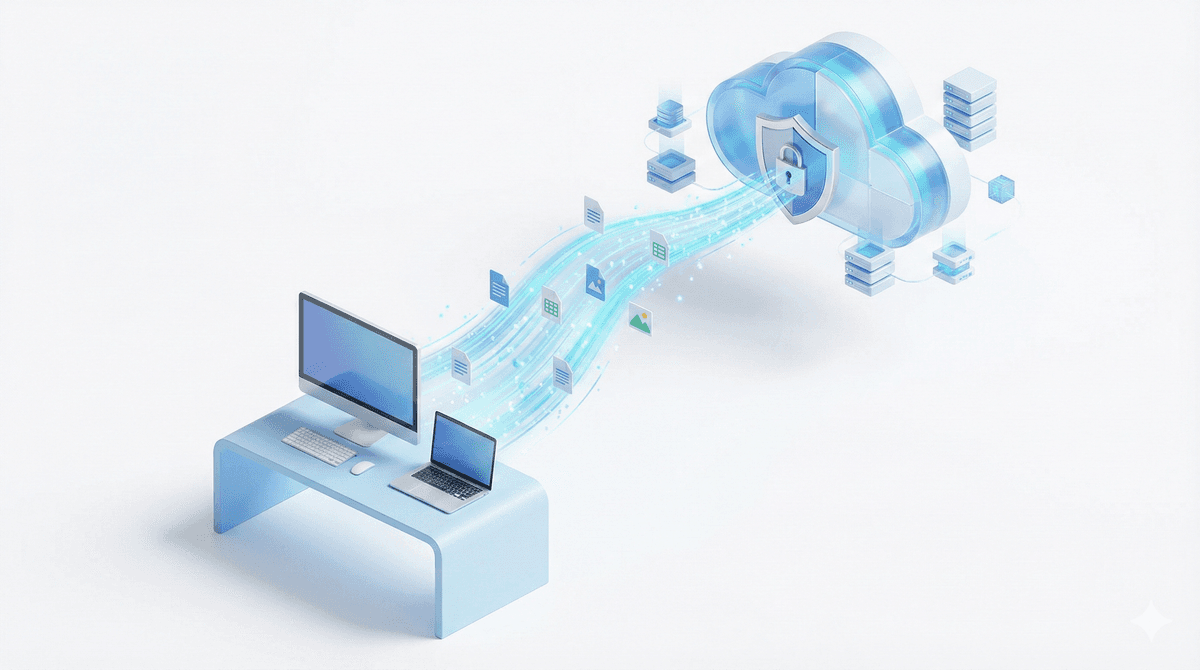
A significant portion of corporate data is generated at endpoints, meaning on employees' laptops and desktops. However, these are also the most frequent points for cyber attacks and data loss. Backupera Desktop Backup provides effortless protection for your Windows, macOS, and Linux computers with a "Set and Forget" principle. It uses "Image-Based Backup" technology that includes not just documents, but the operating system, installed programs, licenses, and user settings. In case of hardware failure, theft, or ransomware attack, you can get your staff back to work in minutes instead of spending hours on installation.
Key features
All the features your business needs
Image-Based Backup: Protects OS + Data integrity by taking a sector-level copy of the disk.
Ransomware Protection (Immutability): Provides 100% protection against encryption viruses by marking backups as "immutable" in supported cloud storage.
Flexible Storage: Implement a Hybrid Backup strategy by sending backups to both a local USB drive/NAS and the cloud simultaneously.
Bandwidth Management: Works in the background without slowing down employees' internet; minimizes data traffic with compression and deduplication.
Centralized Management: Manage thousands of computers from a single web panel, assign remote backup tasks, or perform restores.
Technical Specs
Product capability matrix
Technical note
Technical capability matrices are updated per product. Feature availability can vary by license plan.
Features and Benefits
File and Folder Backup
Protect against hardware failure or accidental deletion by regularly backing up your important files and folders. Create flexible backup strategies by selecting specific file types or backing up your entire system.
Image-Based Backup
Take a complete snapshot of your system to perform fast and complete recovery in case of a disaster. Perform full system restore including operating system, installed programs, and all settings.

Advanced Data Protection
Protect your data against unauthorized access with AES encryption (128, 192, and 256 bit) and object lock (immutability) support. Make your backups immutable against ransomware attacks.

Flexible Backup Scheduling
Create flexible backup schedules that suit your needs and ensure business continuity. Schedule automatic backups with daily, weekly, or custom timing.
Selectable Cloud Storage
Protect your data using any public cloud storage service such as AWS, Wasabi, Backblaze B2, or other S3-compatible options. Choose your own cloud storage infrastructure.
Centralized Backup Management
Remotely create workstation backups and centrally manage all backup and restore operations using a single console. Control thousands of computers from a single panel.
Backup Process
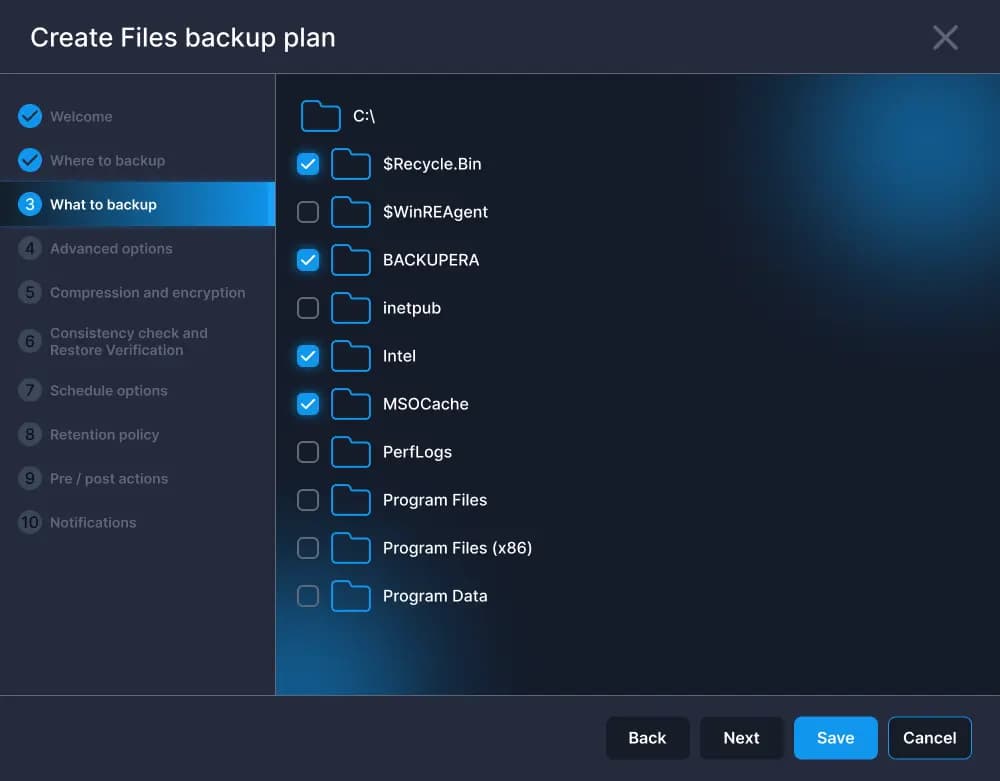
Intuitive File and Folder Selection
Ensure your most important files are backed up regularly against hardware failure or accidental deletion. Easily select files and folders on your PC.
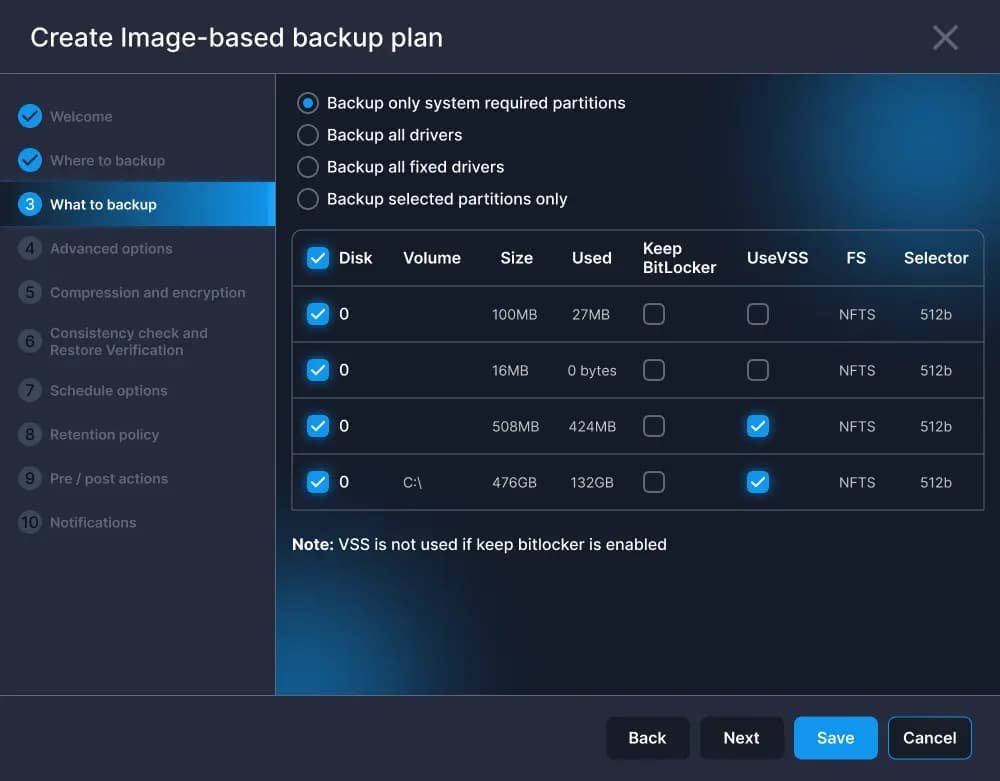
Full System Image Backup
Create a snapshot of your entire system, including OS, apps, and files for fast and complete recovery in case of a disaster.
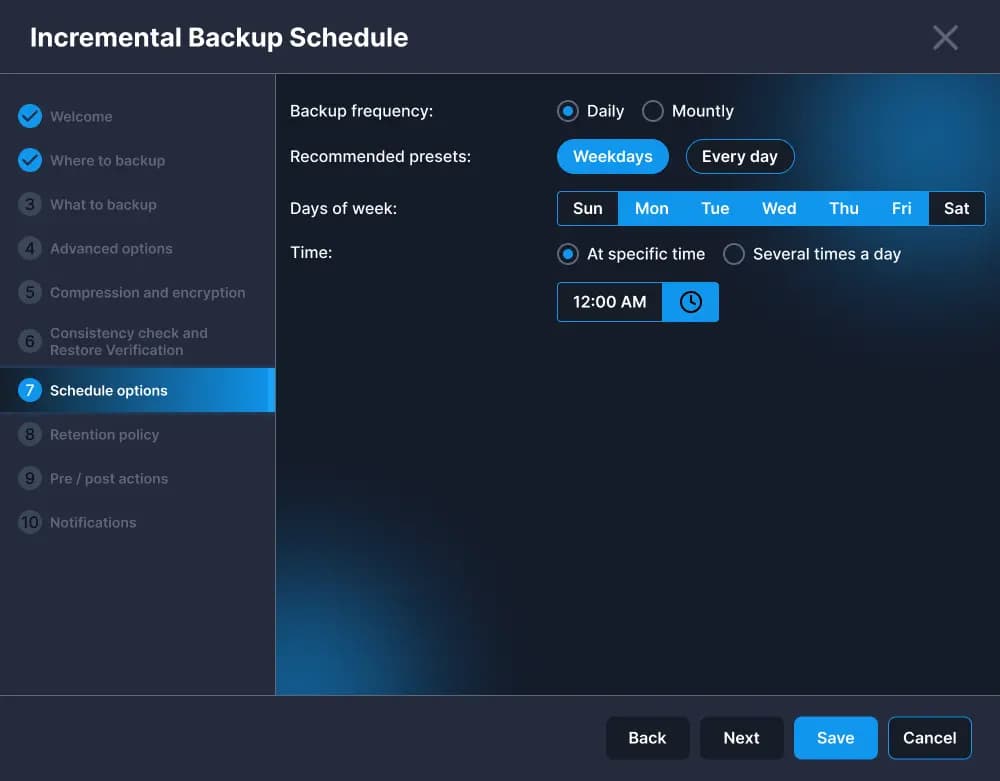
Automated and Smart Scheduling
Automate and customize backup schedules to ensure regular, complete backups according to your workflow.
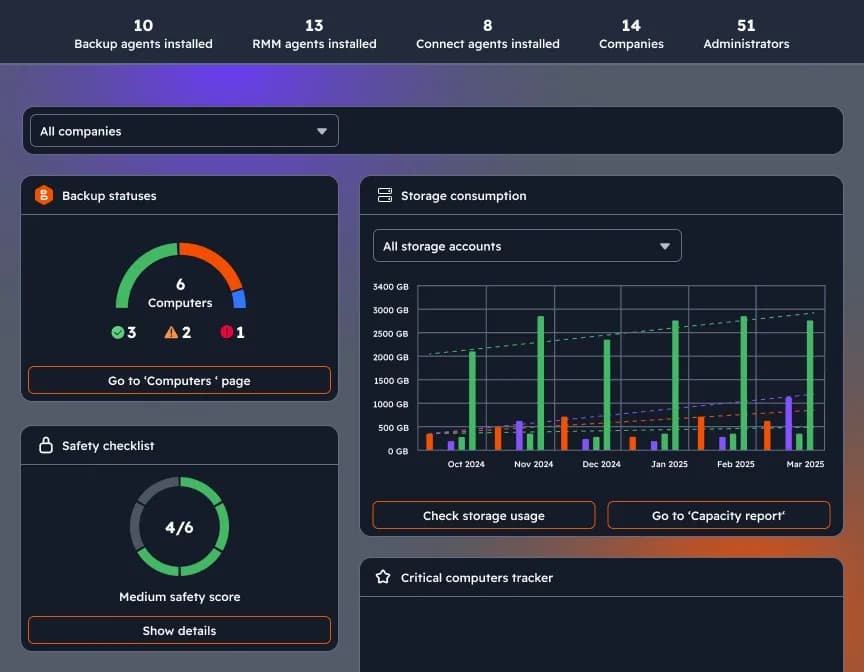
Management with Centralized Web Console
Access all features and manage all your endpoints from a centralized web console. Back up your data remotely and control all devices from a single pane of glass.
Certifications and Awards
Recognized and awarded by industry leaders










Frequently Asked Questions
Image-based backup takes a complete snapshot of your computer's current state. It covers not just your files, but the operating system, installed applications, and system settings. This allows you to restore your entire system in minutes in case of a crash, instead of reinstalling everything one by one.
Absolutely. Thanks to advanced VSS (Volume Shadow Copy) technology, you can continue your work without interruption while Backupera runs in the background. Open files and running applications are safely backed up without affecting your performance.
Your data is protected with military-grade AES-256 bit encryption before it even leaves your computer. Additionally, by using 'Object Lock' technology in supported cloud storage areas, your backups are made undeletable and immutable for a specific period.
Yes, with our 'Bare-Metal Recovery' feature, you can seamlessly restore your backup to a new computer with completely different hardware. Everything from your operating system to your personal documents will be ready on your new device.
Backupera Desktop is fully compatible with Windows, macOS, and popular Linux distributions (Ubuntu, CentOS, Debian, etc.).
You can schedule your backups to be triggered daily, hourly, or in real-time (when a removable disk is attached) according to your needs. Thanks to this fully automated system, you set up data protection once and forget it.
Hybrid backup is when one copy of your data is stored on a local disk (NAS or USB disk) and another copy is stored in the cloud. This method provides ultra-fast restore from the local disk, while the cloud copy provides full protection against physical disasters such as theft or fire.
Your backups are stored in an immutable structure. This means that even if ransomware encrypts the data on your computer, it cannot touch your backups in the cloud. You can access your clean backups in seconds at the time of disaster.