

Microsoft 365 / Google Workspace Backup
Your Cloud Data May Not Be As Safe As You Think
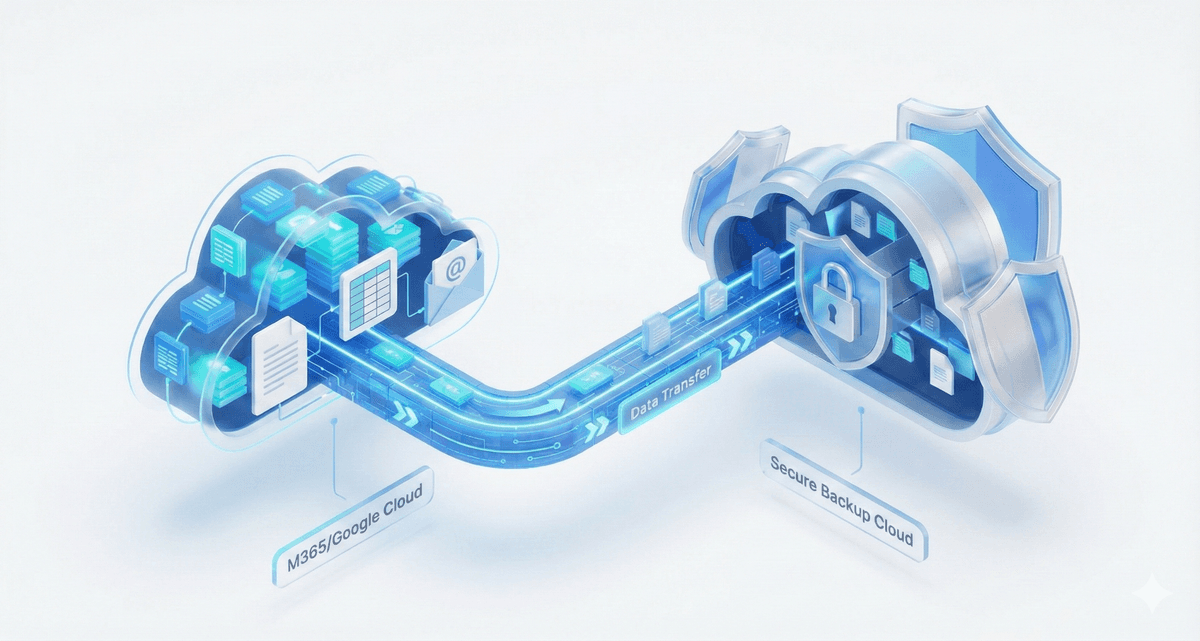
Just because you use Microsoft 365 (formerly Office 365) and Google Workspace doesn't mean your data is backed up. These platforms use a "Shared Responsibility" model; the infrastructure is theirs, the data is yours. Backupera SaaS Backup backs up your Exchange Online, OneDrive, SharePoint, Teams, Gmail, and Google Drive data in your cloud account to a completely independent cloud storage. It restores your accidentally deleted, maliciously destroyed, or ransomware-infected cloud data with a single click.
Key features
All the features your business needs
Full Coverage: Mail, Drive, Sites, Calendar, Contacts, and Teams chats/files.
Flexible Retention: Keep your data as long as you want (beyond the default 30 days, for years).
User-Friendly Restore: Restore a deleted user or a single file to its original location.
No Installation: No need to install anything on the local computer, it is 100% cloud-based.
Technical Specs
Product capability matrix
Technical note
Technical capability matrices are updated per product. Feature availability can vary by license plan.
Features and Benefits

Cloud-to-Cloud Backup
Enable seamless protection without the need for local infrastructure. An ideal solution for SMBs with limited IT resources.

Flexible and Cost-Effective SharePoint Licensing
Purchase SharePoint/Teams/Shared Drives licenses separately, offering scalability for organizations with a large number of users.

Cloud Storage of Your Choice
Choose any public cloud storage, such as AWS, Wasabi, Backblaze B2, or a local storage to ensure full data protection.

Quick Access and Restoration from Anywhere
Mobile-friendly access ensures users can monitor backups and initiate restores remotely without requiring in-person intervention.

Backup Immutability
Bulletproof backup protection against ransomware with immutability.

Export Files to PST
Export full user mailboxes, including emails, contacts, and calendars, or create an item-level export of individual folders, messages, and items.
Backup Process
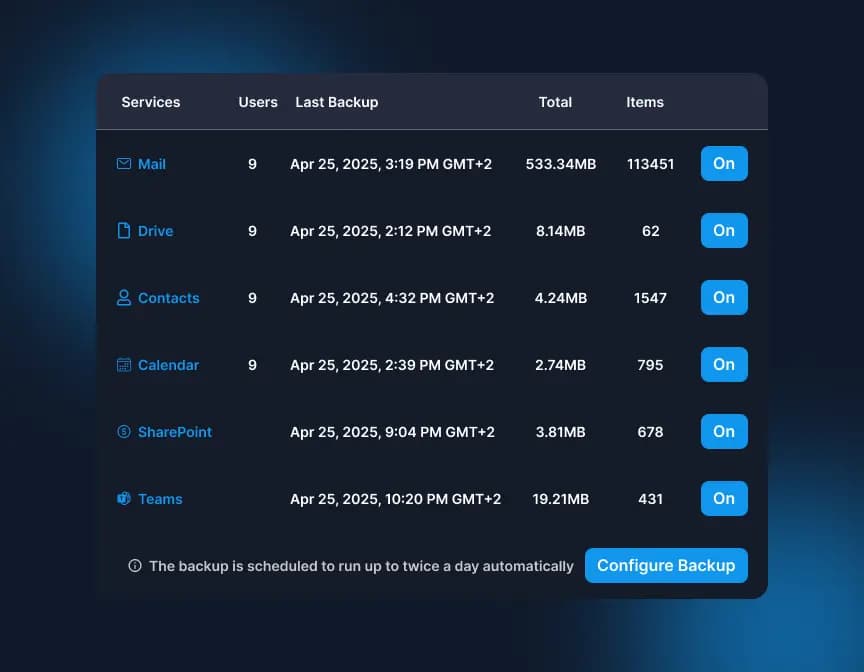
Choose Components to Back Up
Once you are logged in, access the dashboard to select and manage all necessary components.
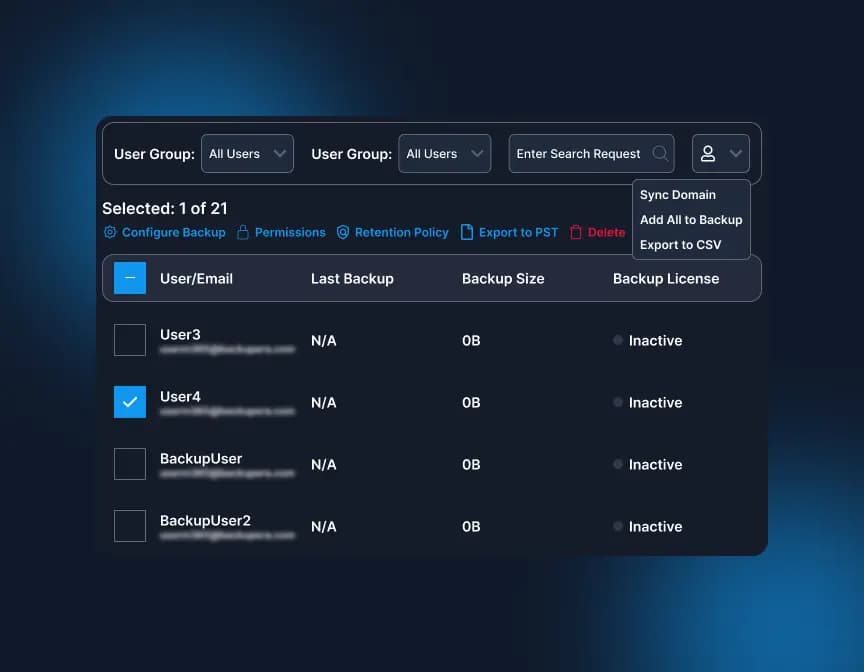
Manage Users
Add and manage new users/groups to the users' grid and synchronize changes for existing users.
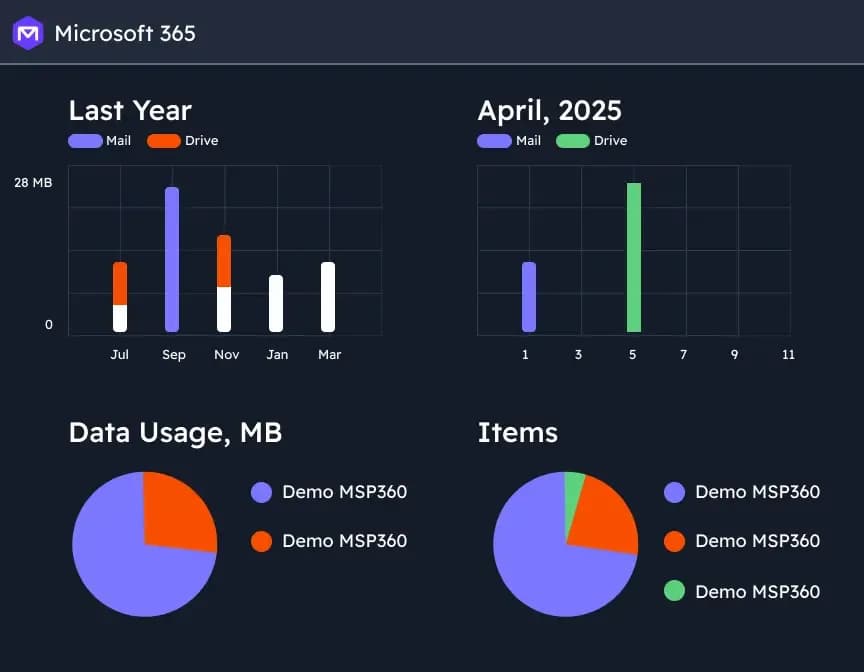
Analyze Backup Reports and Insights
Backup statistics give you clear visibility into usage, success rates, and storage trends.
Certifications and Awards
Recognized and awarded by industry leaders













Frequently Asked Questions
Microsoft and Google are responsible for infrastructure security, but in cases like accidental deletion, malicious intervention, or ransomware, the responsibility lies with the user (Shared Responsibility Model). Backupera provides full protection against these risks.
Backupera backs up your cloud data to a secure cloud storage location completely independent of Microsoft or Google. This ensures your data remains safe even if you lose access to your primary cloud account.
Exchange Online, OneDrive, SharePoint, Teams, and Calendar for Microsoft 365; and Gmail, Google Drive, Shared Drives, Calendar, and Contacts for Google Workspace are fully supported.
The backup process takes place directly between cloud servers. Your computer does not need to be on, and your local bandwidth is not affected. The process is 100% cloud-based and automated.
Yes. Your backups are stored in an immutable way. Even if your files are encrypted on the primary account, you can instantly revert to clean, unencrypted backup versions on Backupera.
Item-level restores for single files or emails are completed in seconds. You can transfer a deleted mailbox or OneDrive folder to its original location or to a different user in seconds.
Yes, you can export your emails and other data directly in PST format for local archiving or legal compliance (Discovery) purposes.
You only pay for active users. Backups of deleted users (for archiving purposes) can be protected for the retention period you specify without additional cost.