

MS Exchange Backup
Never Let Your Email Communication Be Interrupted
Exchange Server is the backbone of corporate communication. Backupera MS Exchange Backup provides protection at the database (EDB) level. That allows you to recover a single user's deleted email or attachment without needing to restore the entire database, thanks to the Granular Recovery feature. It is fully compatible with clustered structures with DAG (Database Availability Group) support.
Key features
All the features your business needs
Granular Recovery (Item-Level): Extract a single email, contact, or calendar item from the .edb backup.
DAG Support: Working compatibly with high-availability clusters.
Log Cleaning: Prevents disk bloat by automatically cleaning Exchange logs after a successful backup.
Technical Specs
Product capability matrix
Technical note
Technical capability matrices are updated per product. Feature availability can vary by license plan.
Features and Benefits
VSS-Aware Consistent Backup
Use VSS technology to ensure transactional consistency during live operations of your Exchange server.

Granular Item-Level Recovery
Recover individual mailboxes, emails, or calendar items directly without a full database restore.
Automatic Log Truncation
Save disk space by automatically truncating Exchange transaction logs after a successful backup.

DAG (Cluster) Support
Full compatibility with Database Availability Groups for high availability and clustered environment protection.
Point-in-Time Recovery
Restore your Exchange database to a precise moment by replaying transaction logs from your backups.
Secure Cloud Archival
Keep your data secure with AES-256 encryption and store it directly in cloud archival tiers with object lock support.
Backup Process
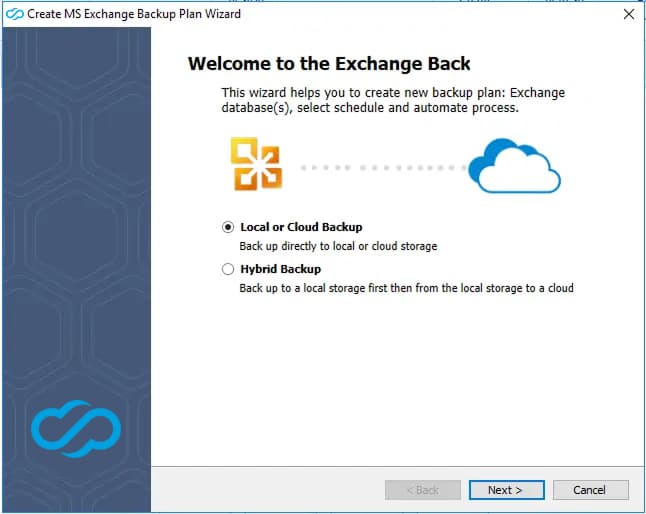
Initialize & Select Destination
Launch the backup wizard and choose your preferred backup storage destination (Cloud or Local).
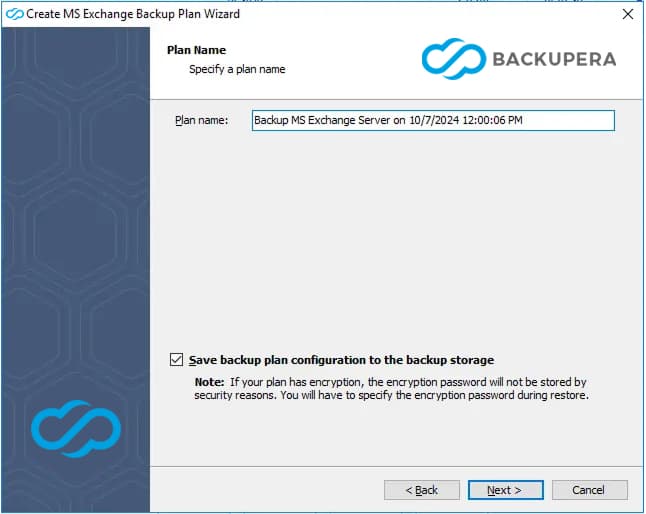
Name Your Backup Plan
Assign a descriptive name to your backup plan and enable configuration metadata cloud backup.
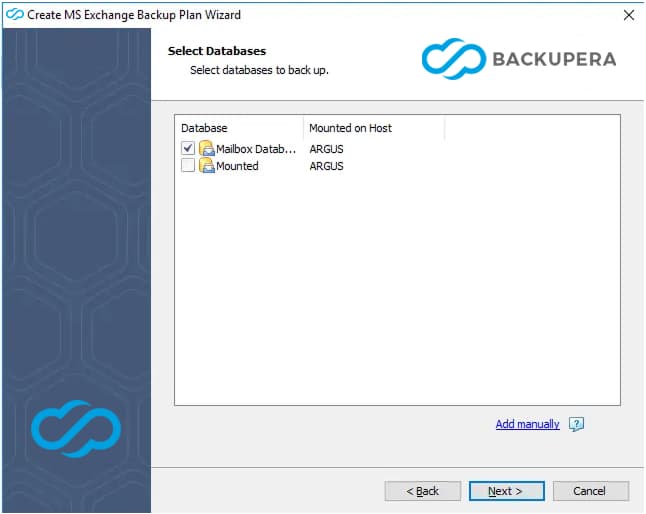
Select Exchange Databases
Choose specific Microsoft Exchange databases to back up. Available databases are automatically detected.

Advanced VSS Options
Configure VSS (Volume Shadow Copy Service) to ensure consistent backups of active Exchange databases.
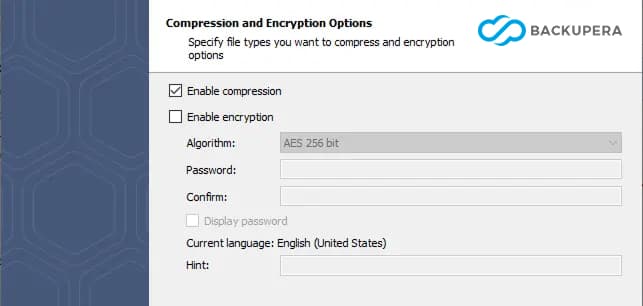
Compression and Encryption
Optimize storage usage with data compression and secure your sensitive mail data with AES encryption.
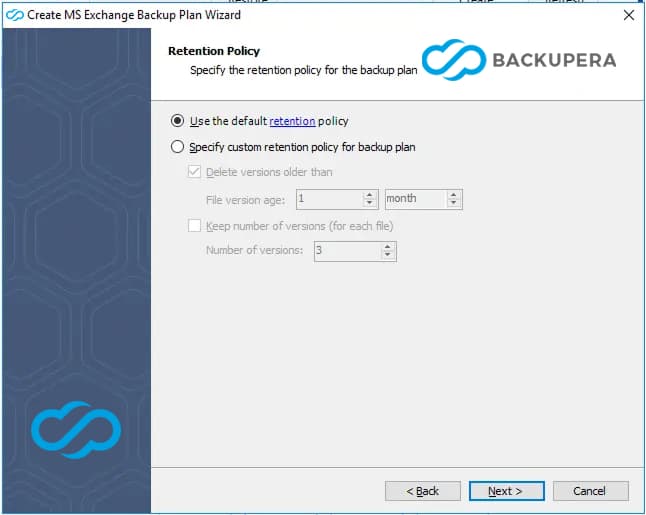
Review Retention Policy
Set automated rules for how long to keep your backup versions to manage storage capacity.
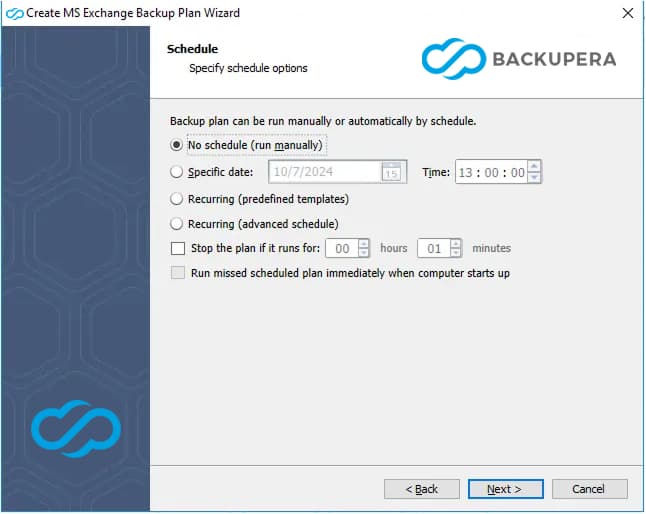
Schedule Your Backup
Automate your data protection by setting a recurring schedule (daily, weekly, or monthly).
Certifications and Awards
Recognized and awarded by industry leaders













Frequently Asked Questions
Exchange's built-in tools can often be insufficient in complex recovery scenarios. Backupera ensures your business continuity by offering faster restoration, flexible storage, and advanced management options against data loss, ransomware, and accidental deletions.
No. Thanks to advanced VSS (Volume Shadow Copy) integration, consistent backups are taken while Exchange services continue to run. The backup process is completed in the background without affecting the user experience or server performance.
It is a technology that allows you to select and restore a single email, contact, or calendar entry directly from the backup file to its original location or a different location in seconds, instead of restoring the entire database.
Backupera automatically cleans (truncates) Exchange transaction logs after a successful backup. This process prevents disk space from filling up while maintaining database consistency.
Yes, Backupera is fully compatible with DAG structures. It automatically detects databases on your clustered servers and provides protection suitable for high availability scenarios.
Yes. You can create a hybrid backup strategy by safely storing your backups in popular cloud services such as AWS S3, Microsoft Azure, Wasabi, or Backblaze B2, in addition to local storage areas (NAS, USB, etc.).
Your data is encrypted with AES-256 bit before it even leaves the server. Additionally, by using the 'immutability' feature in supported cloud storage areas, it becomes technically impossible to delete or modify your backups.
Yes, you can export recovered mailbox data, folders, or individual emails directly in PST format; you can use these files for archiving or moving to a different environment.