

Server Backup
Disaster Recovery Scenario Ready for Your Servers
The foundation of business continuity is reliable servers. Backupera Server Backup protects your physical or virtual servers (Windows Server, Linux) against all possible disaster scenarios. It combines the flexibility of file-based backup with the power of image-based backup. Even if your server becomes completely unusable, you can run your backup as an Amazon EC2 or Azure VM in the cloud thanks to the "Restore to Cloud" feature and continue your work from where you left off.
Key features
All the features your business needs
Restore to Cloud: Capability to spin up physical server backup directly as a cloud server (VM).
Physical to Virtual (P2V): Easy migration by converting physical server to virtual disk (VMDK, VHDX).
Synthetic Full: Technology to create a full backup by merging old blocks on the cloud side without consuming bandwidth.
Broad Compatibility: Support for Windows Server 2008 R2 to 2022 and popular Linux distributions.
Technical Specs
Product capability matrix
Technical note
Technical capability matrices are updated per product. Feature availability can vary by license plan.
Features and Benefits
Image-Based (Full System) Backups
Take a complete snapshot of your system to perform fast and complete recovery in case of a disaster. Perform full system restore including operating system, applications, and all data.
GFS (Grandfather-Father-Son) Retention Policy
Create a flexible archiving strategy with weekly, monthly, and yearly full backups and optimize storage costs. Meet your long-term data retention requirements.

Client-Side Encryption
Protect your data against unauthorized access with AES encryption (128, 192, and 256 bit). Your data is encrypted before leaving your computer, ensuring complete security during transfer and storage.
Complete Protection with Object Lock
Protect your data against changes by enabling object lock feature on Amazon S3, Wasabi, or Backblaze B2. Make your backups immutable against ransomware attacks.
Bring Your Own Cloud Storage
Integrate with leading cloud storage providers such as AWS, Wasabi, Backblaze B2, Microsoft Azure. Choose your own cloud storage infrastructure and avoid vendor lock-in.
Local Backup
Include local backups in your data protection strategy and implement the 3-2-1-1-0 backup rule. Provide fast restore and an additional security layer by backing up to local storage units.
Backup Process
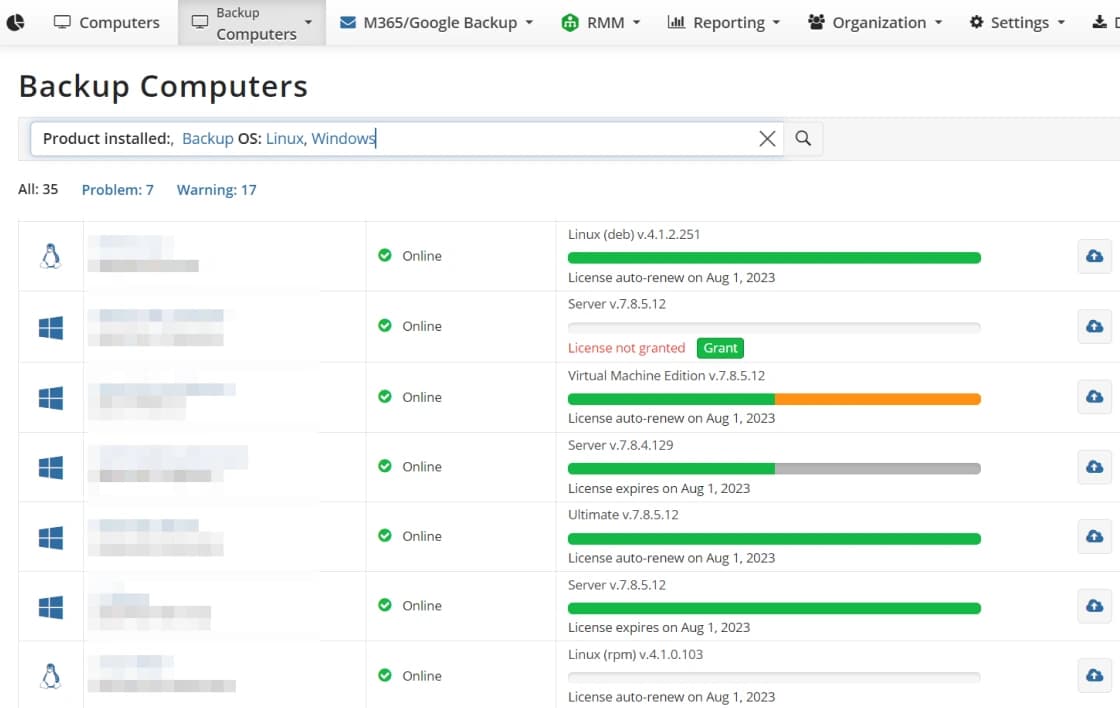
Centralized Server Management
Centrally monitor and manage the backup status of all your servers.
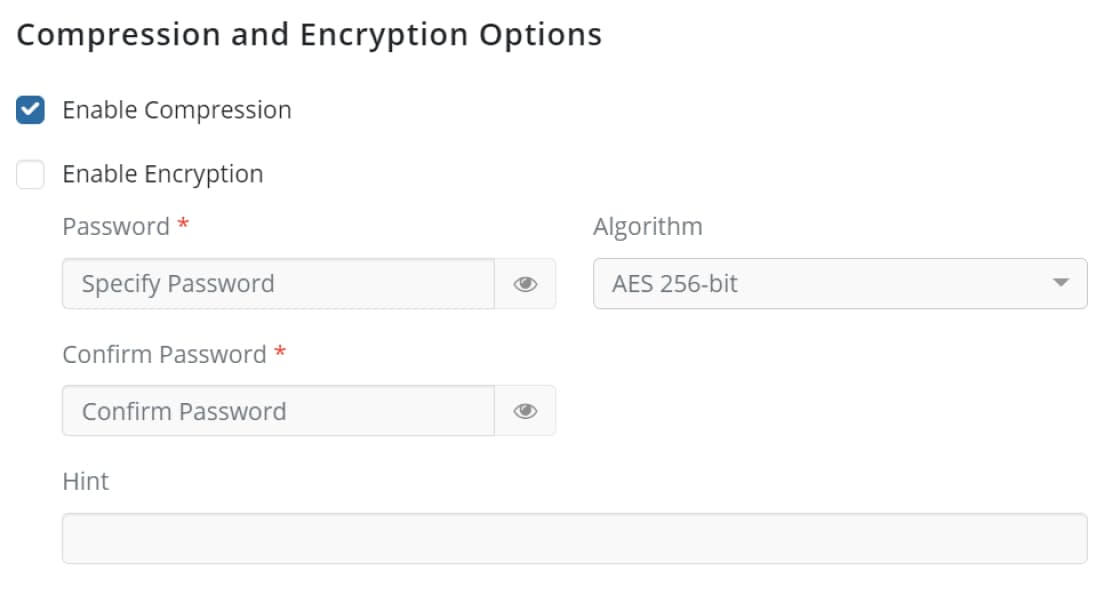
Enterprise-Grade Encryption
Protect sensitive server data against cyber threats with AES-256 bit encryption.
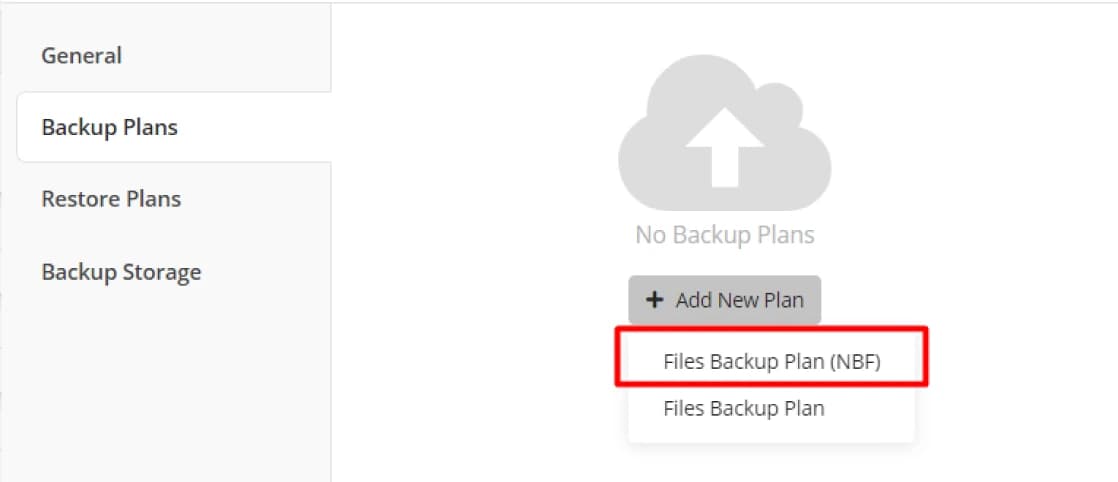
Advanced Restore Points
Create fast and consistent restore points thanks to the new backup format.
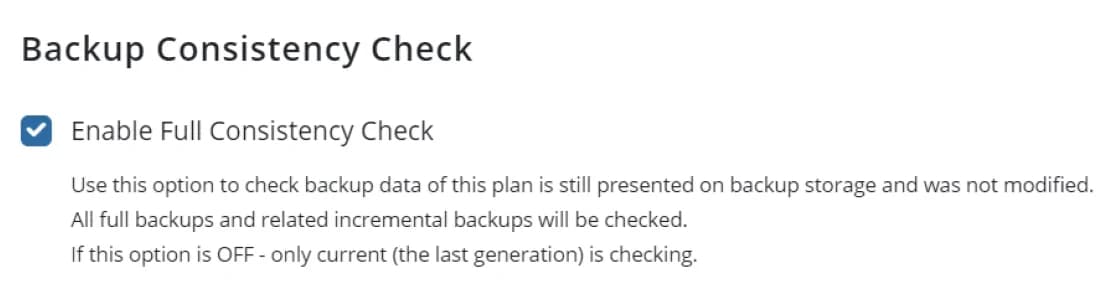
Automated Consistency Check
Guarantee the integrity of your server backups at any time with automated checks.
Certifications and Awards
Recognized and awarded by industry leaders











Frequently Asked Questions
Bare-Metal Restore (BMR) allows your server to be restored directly to empty hardware, including the operating system, applications, settings, and all data, without any pre-installation. This way, in case of hardware failure, you can get your system up and running in minutes without having to install it from scratch on the same or different hardware.
System State backup covers critical components of the operating system, Registry settings, boot files, and the Active Directory database. It offers a fast and effective solution for scenarios where you want to recover only the system configuration instead of a full image backup.
VSS (Volume Shadow Copy Service) technology ensures the data integrity of database-driven applications such as Microsoft SQL Server or Active Directory at the time of backup. This ensures that your applications are ready to run without errors and data loss after restoration.
Yes, with Backupera, you can convert your server image backup directly into a virtual machine in the cloud as an Amazon EC2 or Azure VM. This feature allows you to perform instant disaster recovery in the cloud when your physical server is unreachable.
Yes, you can easily migrate backups taken from your physical servers to virtualization environments by converting them to virtual disks in VMware or Hyper-V format (VMDK, VHDX). This feature is ideal for hardware-independent recovery and consolidation processes.
Your data is protected on the client side with AES-256 bit encryption. Additionally, with 'Object Lock' technology in supported cloud storage areas, your backups are made undeletable and unchangeable for a specified period, ensuring full resilience against ransomware attacks.
Synthetic Full Backup is a technology that automatically creates a full backup by merging previously uploaded data blocks on the cloud side, instead of moving all data to the cloud over the internet every time. This optimizes backup cycles while keeping bandwidth usage to a minimum.
Backupera Server Backup offers broad enterprise compatibility by supporting all versions of Windows Server 2008 R2 onwards, including 2012, 2016, 2019, and 2022 (including Standard and Datacenter).