

Ultimate Backup
One Solution for Unlimited Needs
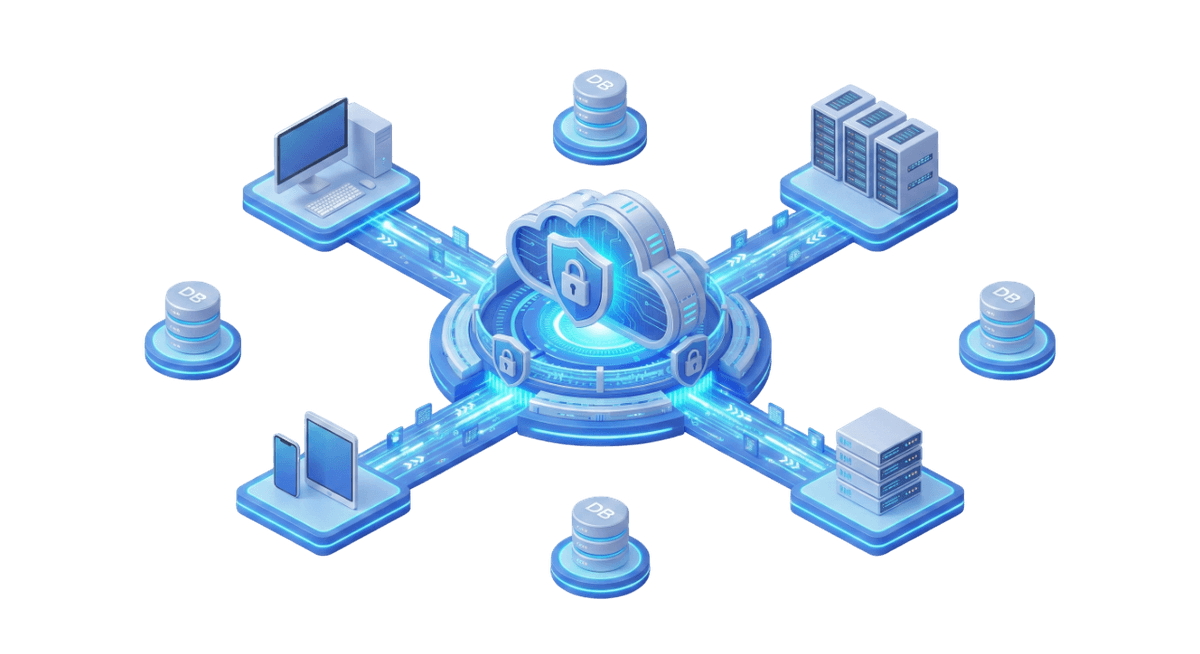
Do you have Windows, Linux, Virtual Machines, SQL databases, and large NAS units in your organization? Backupera Ultimate ends the "which license should I buy for which" confusion. This version includes all features offered by Backupera. It protects your servers, virtual machines, and databases without getting stuck with the limits in standard versions. Its biggest difference is "Unlimited Network Share" support; it allows you to backup your file servers or NAS devices with terabytes of data without extra cost.
Key features
All the features your business needs
All-in-One: All file, image, SQL, Exchange, VM (VMware/Hyper-V) backup modules are enabled.
Unlimited Network Shares: No data/file limit in Network Shares and NAS backup.
Top Priority: The most comprehensive toolset in restore and support processes.
Technical Specs
Product capability matrix
Technical note
Technical capability matrices are updated per product. Feature availability can vary by license plan.
Features and Benefits

Bring Your Own Cloud
Integrate with top providers like Amazon S3, Wasabi, and Google Cloud, offering flexibility and reducing costs.

Cloud-First Approach
Minimizes hardware dependencies and reduces costs through a cloud-centric strategy.

Object Lock-Immutability
Provides complete immunity to changes, ensuring backups cannot be modified, deleted, or overwritten.

Encryption and Compression
Secures data with robust encryption and optimizes storage with advanced compression.

Centralized Web Console
Create, monitor, and manage backups remotely from a single pane of glass.

Role-Based Access Control
Limit or restrict access by granting different permissions to safeguard sensitive data.
Products Included in Ultimate Backup
Windows Backup
Enjoy full control over your backups with both file-level and image-based options.
Linux Backup
Back up individual files to the cloud of your choice with backup software and recovery solutions for Linux.
macOS Backup
Keep your macOS files safe with solutions for macOS backup, helping you secure and restore data with ease.
File Backup
Ensure the most important files are backed up regularly in case of hardware malfunction or accidental deletion.
Image-Based Backup
Get highly reliable, fast and easy-to-use backup images that can be deployed to virtually any type of recovery target.
Windows Server Backup
Back up Windows Servers to ensure all backup and restore jobs are processed quickly and efficiently.
Hyper-V Backup
Back up virtual machines on Hyper-V Failover Cluster and improve efficiency with Changed Block Tracking.
VMware Backup
Offers application-consistent backups and Changed Block Tracking (CBT) for efficient incremental backups.
SQL Server Backup
Safeguard databases and transaction logs while ensuring consistency and selective database targeting.
Backup Process
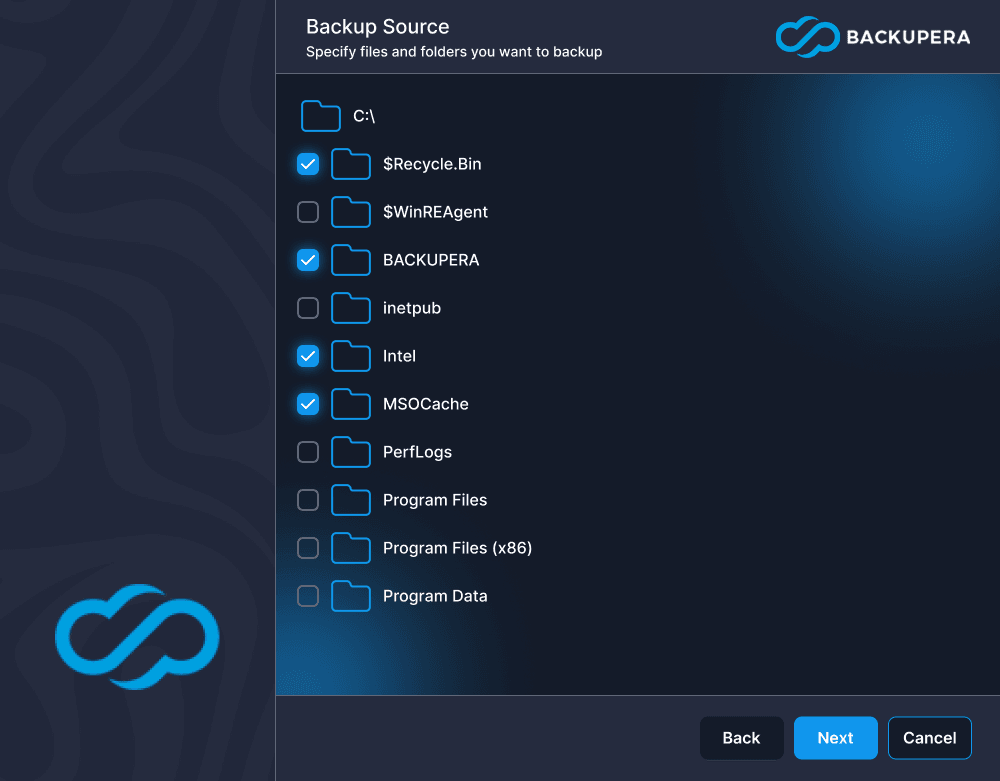
Choose Files and Folders to Back Up
Back up specific files and folders on your target endpoint and ensure your critical data is always protected.
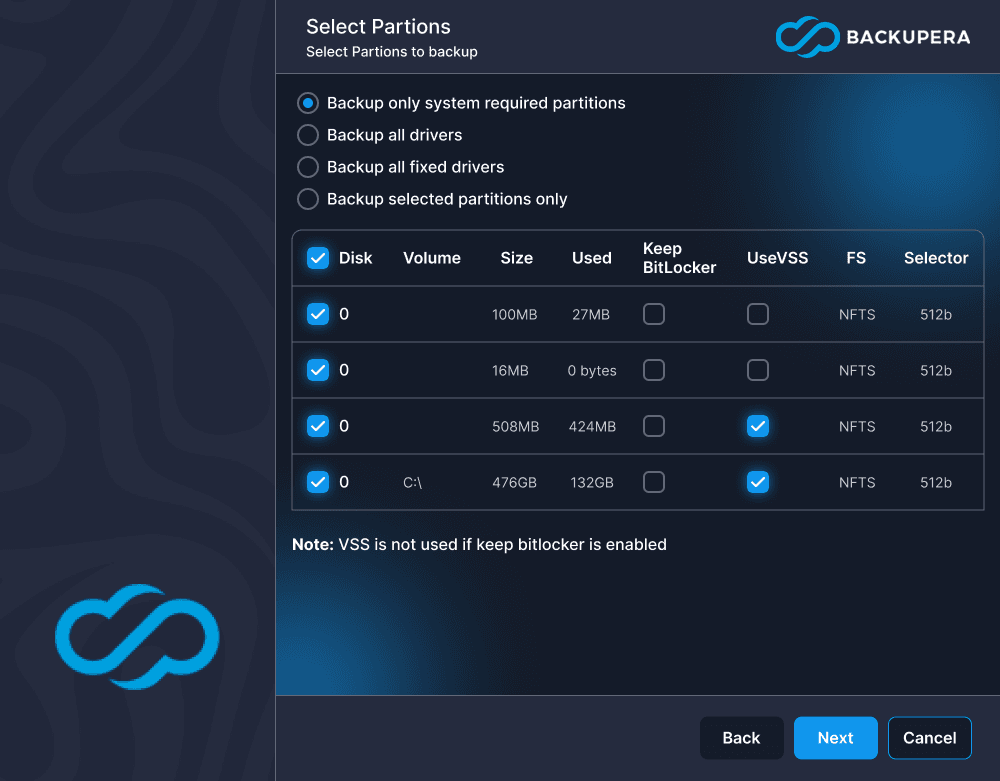
Image-Based Backup
Capture a snapshot of the entire system and get highly reliable, fast and easy-to-use backup images.
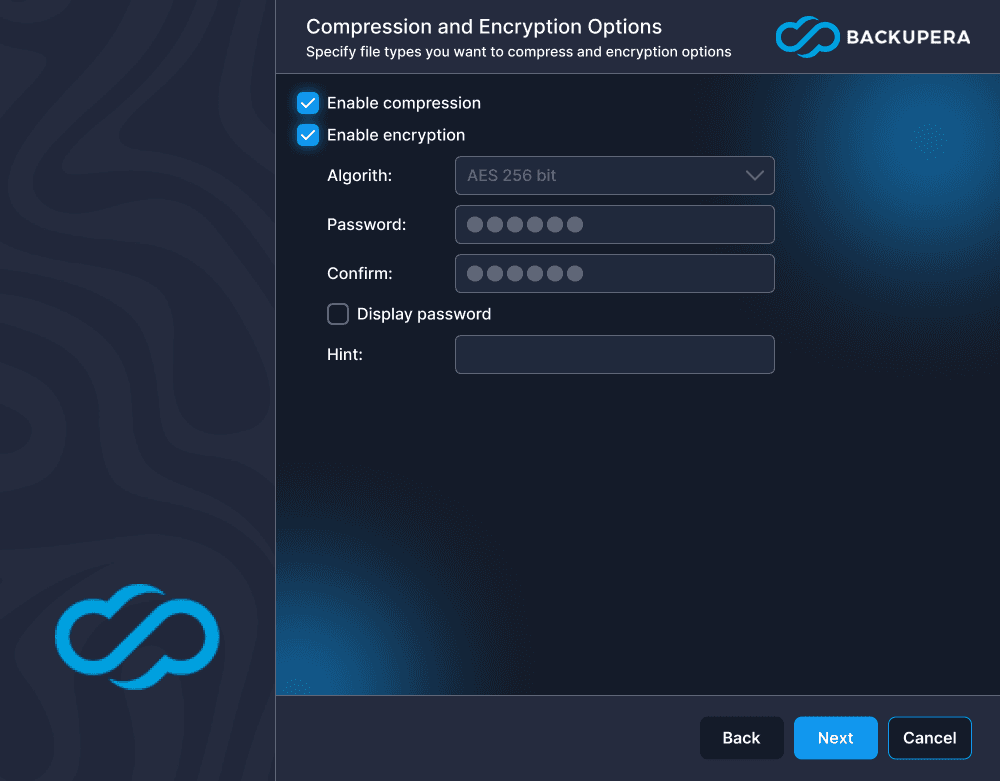
Enable Encryption
Backupera supports AES encryption with key sizes of 128, 192 and 256 bits, to help you protect your data.
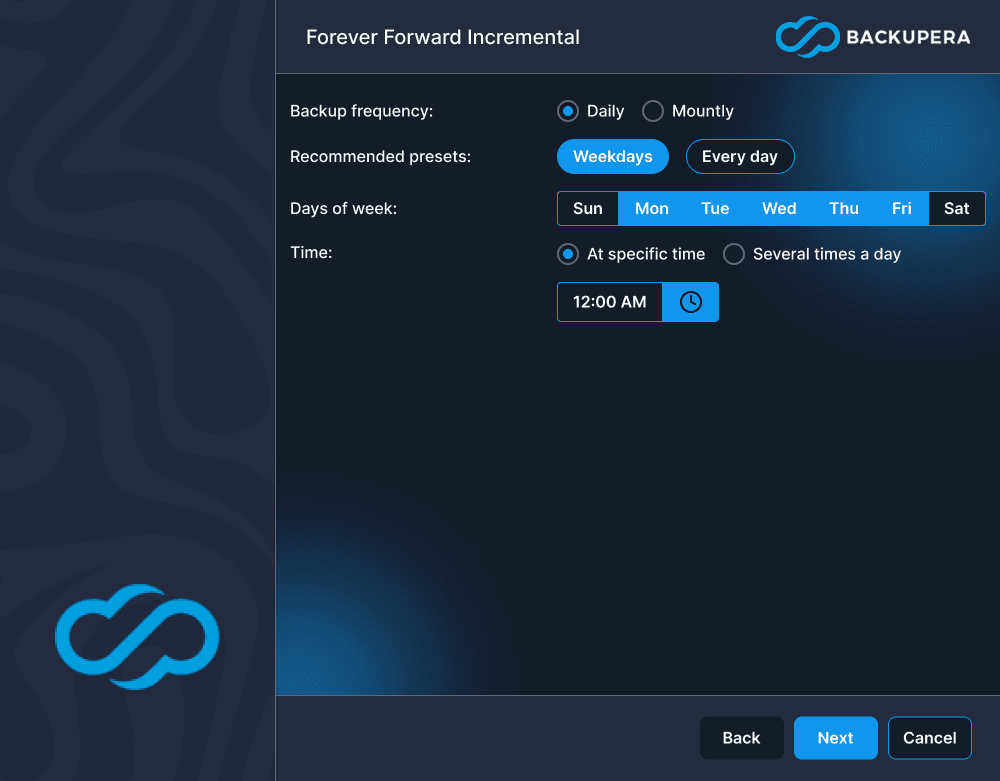
Configure Backup Schedule
Set the backup frequency to match your needs. Schedule daily, weekly, or monthly backups for maximum data protection.
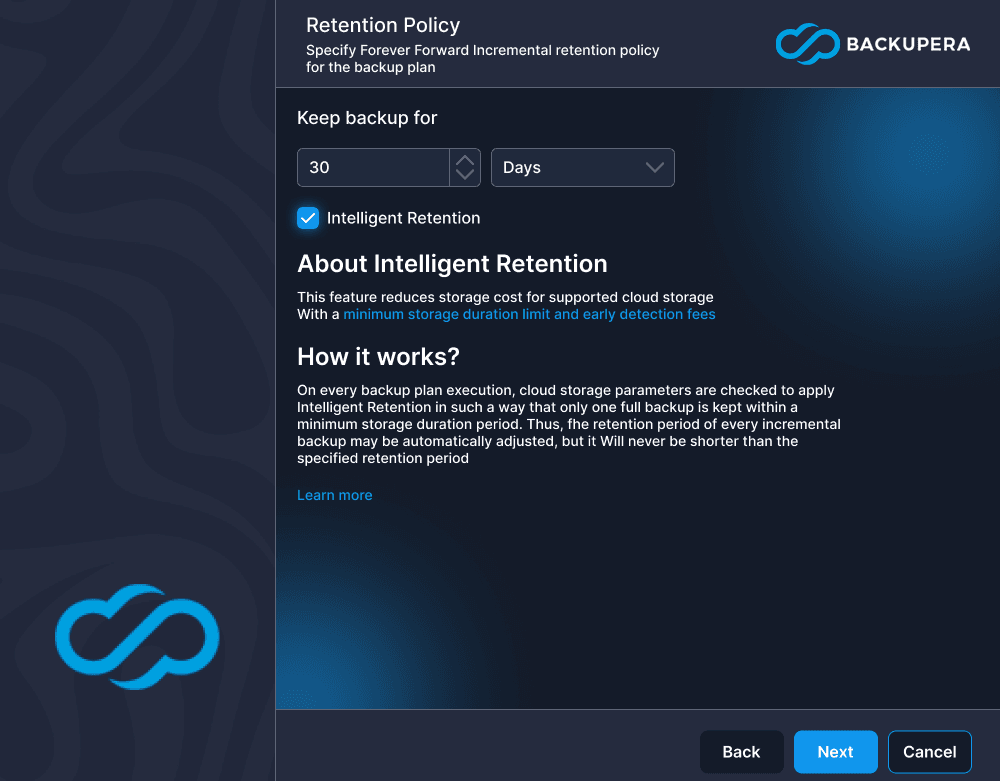
Customizable Retention Settings
Keep necessary files with customizable retention settings and determine how long backup data should be stored.
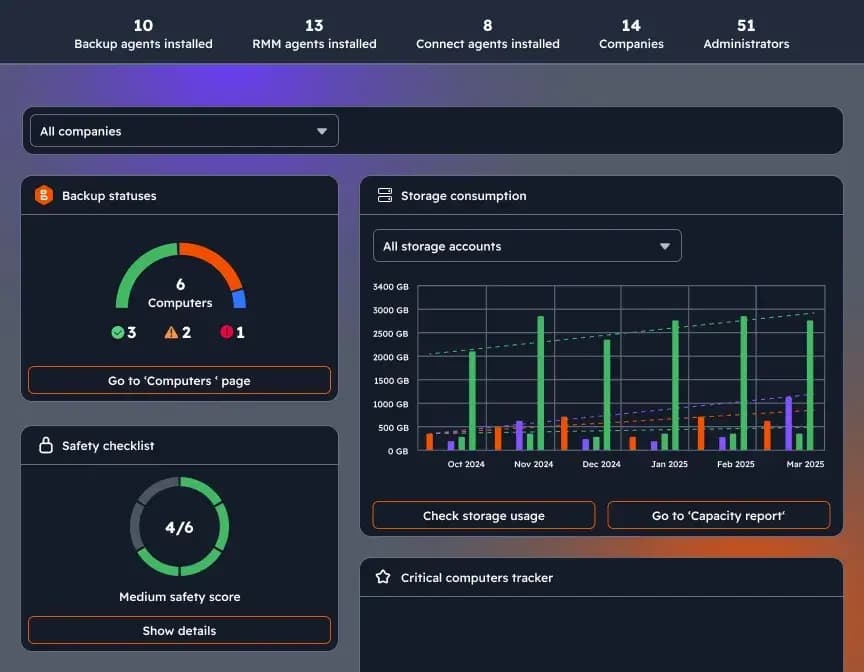
Dashboard with Custom Widgets
Stay in control with a widget-based dashboard. View updates on backup statuses and security status for proactive management.
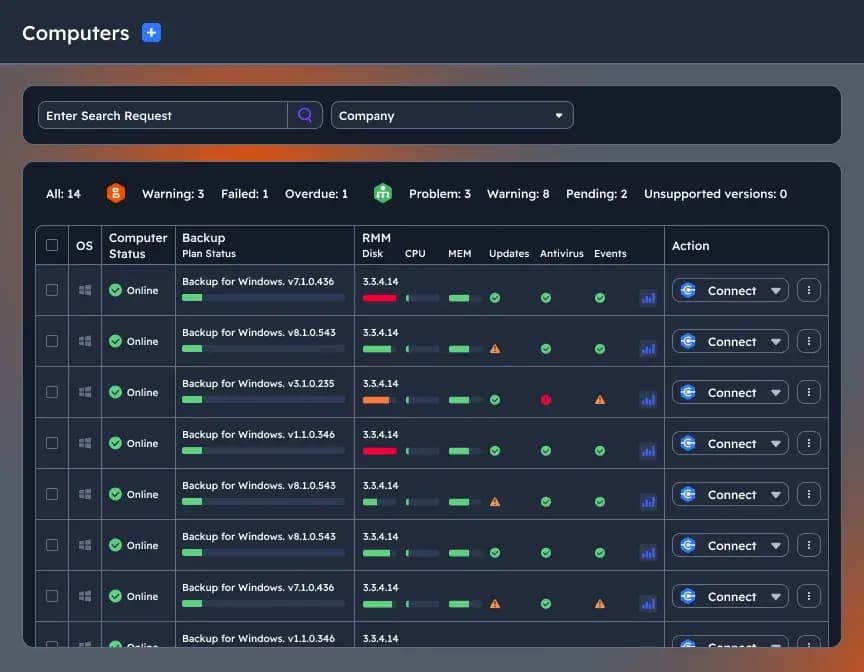
Manage Multiple Endpoints Remotely
Monitor and manage multiple machines with our centralized web-based console.
Certifications and Awards
Recognized and awarded by industry leaders












Frequently Asked Questions
The Ultimate version combines all features offered by Backupera (File, Image, SQL, Exchange, VMware, Hyper-V) under a single license. Additionally, this version has no data or file limits for network shares and NAS backup.
Yes. With Ultimate Backup, you can safely back up your NAS units and network shares with terabytes of data and millions of files without any additional license costs or capacity limits.
Ultimate Backup fully supports Windows (Client and Server), Linux (many popular distributions), and macOS operating systems. You can manage all platforms from a single centralized console.
Through the cloud-based centralized web console, you can remotely create, monitor, and manage all backup plans. You control all endpoints from a single pane of glass without needing to be at the servers.
Absolutely. Backupera works fully integrated with popular S3-compatible providers like Amazon S3, Azure, Google Cloud, Wasabi, or Backblaze with its 'Bring Your Own Cloud' approach.
By enabling the Object Lock (Immutability) feature on supported cloud storage, you make it technically impossible to delete or modify your backups for a specific period. This is the strongest defense against ransomware attacks.
It allows you to define different permissions for different users or departments in your organization. For example, while one user can only monitor backup statuses, another authorized person can perform restore operations.
Yes, Ultimate Backup is the most economical and easiest-to-manage solution, especially for complex servers that host SQL Server, Exchange, and critical file shares all at once.