

Virtual Machine Backup
Real Security in a Virtual World
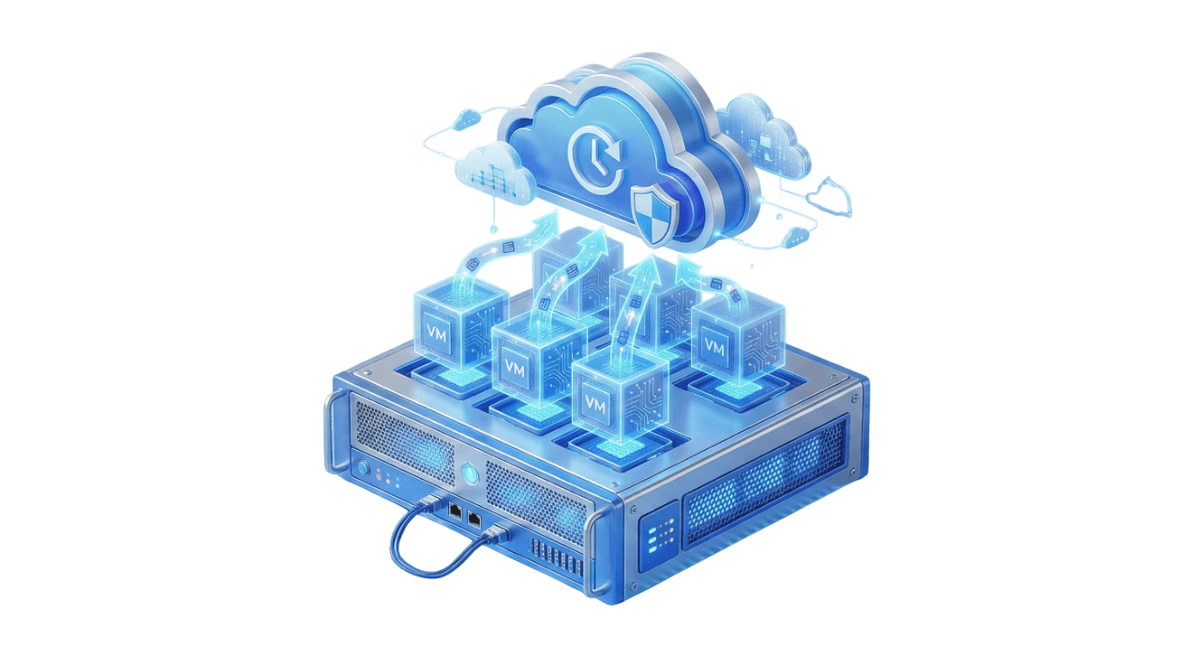
Virtualization is the standard of modern IT. Backupera Virtual Machine Backup eliminates the hassle of installing agents on each virtual machine individually. It connects to your Hyper-V or VMware host server and centrally backs up all virtual machines running on it. Changed Block Tracking (CBT) technology minimizes backup time and storage requirements by transferring only changed data blocks.
Key features
All the features your business needs
Agentless: Backup via Host without installing software on Guest machines.
Changed Block Tracking (CBT): Extremely fast incremental backups.
Instant Recovery: Instant boot directly from backup without waiting for restore.
Flexible Licensing: Unlimited VM backup possibility with per-socket licensing.
Technical Specs
Product capability matrix
Technical note
Technical capability matrices are updated per product. Feature availability can vary by license plan.
Features and Benefits

Flexible Schedules and Retention Policies
Configure scheduling and data retention settings that fit your requirements with a fully customizable VM backup solution.

Advanced Data Protection
Enhance data protection with backup encryption and immutability. Supports AES encryption with key sizes of 128, 192, and 256 bits.

Reliable Recovery Options
Restore Hyper-V and VMware virtual machines to Amazon EC2 and MS Azure VM for maximum flexibility.

Optimized Recovery Point Objective (RPO)
Configure virtual machine backup frequency, ensuring that only a few minutes of data are lost in a data loss scenario.

Customizable Notifications
Keep yourself informed on VMware and Hyper-V backups. Receive immediate alerts in the event of any issues.

Easy-to-Manage Solution
Spend less time on setting up backups with the intuitive and simple interface of the web control panel.
Backup Process
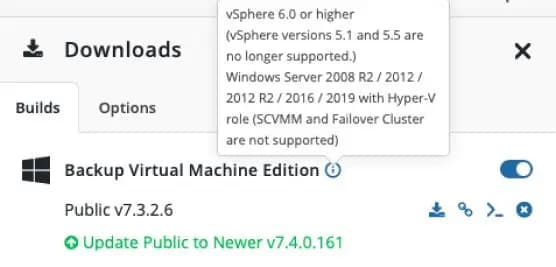
Reliable Virtual Machine Backups
Supports vSphere 6.0 or higher, and Windows Server 2008 R2/2012/2012 R2/2016/2019 with Hyper-V role.
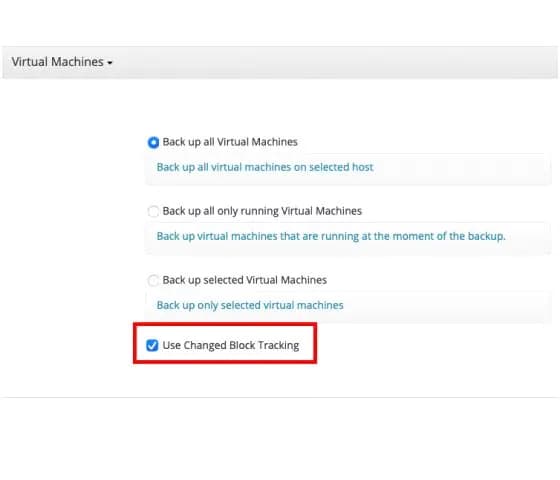
Changed Block Tracking For VMware
Improve the speed, performance, and efficiency of virtual machine backups with CBT technology.
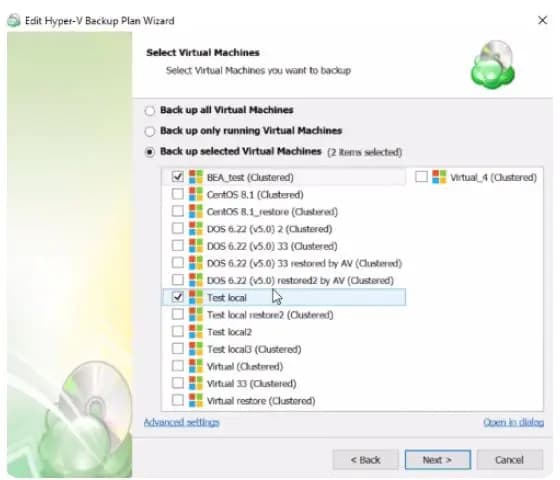
Hyper-V Cluster Support
Back up virtual machines on the Hyper-V Failover Cluster from separate nodes inside one Hyper-V cluster.
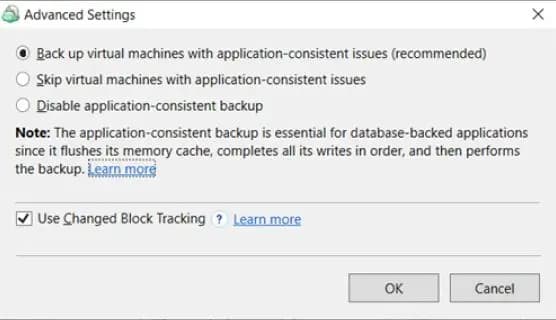
Application-Consistent Backups
Application-consistent backup of Hyper-V virtual machines and advanced options to configure backups for VMware.
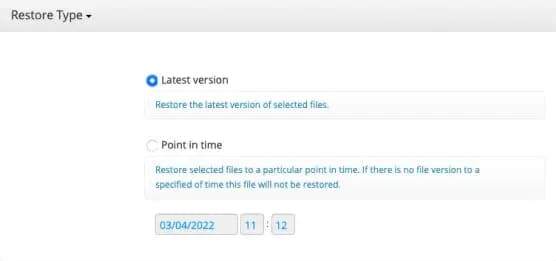
Flexible Restore Options
Create restore plans directly from a web console. Simply specify the settings you need and you are ready to go.
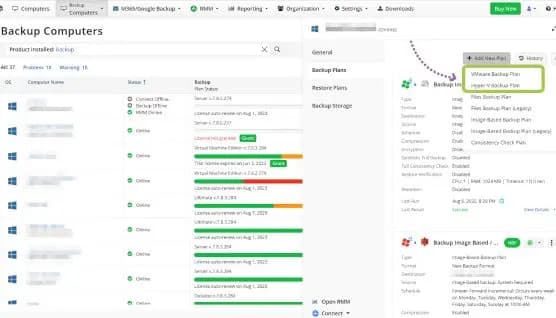
Centralized Web Console
Simplified management and configuration of Hyper-V and VMware backups from a centralized web console.
Certifications and Awards
Recognized and awarded by industry leaders












Frequently Asked Questions
No. Snapshots are short-term restore points and depend on the primary storage. Backup, however, is copying data to a completely independent location (cloud or NAS), protecting your data even if the primary system fails.
It is a method that allows backing up all machines directly through the VMware or Hyper-V host server, without having to install separate software on each virtual machine. This reduces management overhead and optimizes resource usage.
CBT identifies only the blocks that have changed since the last backup instead of backing up all data every time. This shortens backup times and provides significant savings in storage space.
In the event of a disaster, it allows a virtual machine to be booted directly from the backup storage in seconds, without waiting for it to be restored. It is a critical feature for business continuity.
Yes. Instead of restoring the entire virtual machine, you can browse specific files or folders within the backup file and recover only what you need in seconds.
Due to VMware restrictions, the ESXi Free version lacks the necessary API support. Therefore, licensed (paid) ESXi versions are required for backup operations.
Yes, you can spin up VMware or Hyper-V backups taken with Backupera directly as a virtual machine on Amazon EC2 or Microsoft Azure.
Your backups are encrypted with AES-256 bit and stored with 'Object Lock' (Immutability) support on the cloud side. This means your backups cannot be deleted or modified by anyone for a certain period.